
For this exercise I written a voronoi noise function, also known as cell noise, or worley noise.
If you want to use it you can grab it from here – just paste it into a material function.
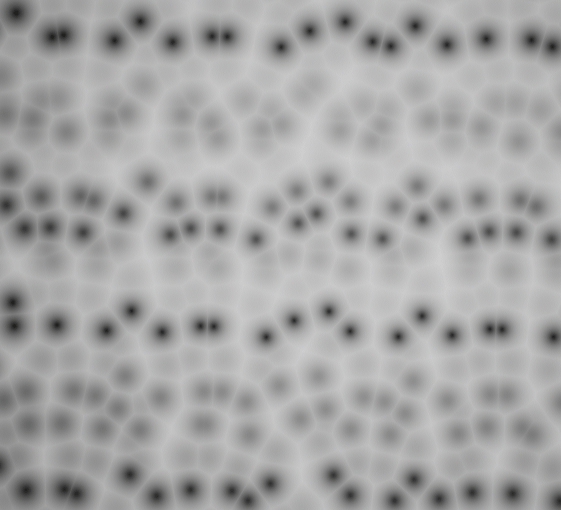
Though I’m still not happy with the distribution of points (as you can see below) isn’t random enough – this can be tweaked from a set point in the code, but for now I got what I needed from this.
And this method can be used for more than just “here’s some random noise” if approached from the perspective of representing a set of randomly scattered points!
I’m leveraging some methods from Unreal’s library of random noise algorithms which you can include in HLSL of your custom node.
You can include any of the of the engine HLSL files in a custom node by using a path relative to /Engine/, for example:
#include "/Engine/Private/Random.ush"
The final output tallies up to 52 instructions according to Unreal’s material editor stats.
This is in contrast to Unreal’s VectorNoise atomic node which also gives you the closest point (RGB), and the distance (A).
Just using the distance from the VectorNoise node will cost you a whopping 162 instructions!
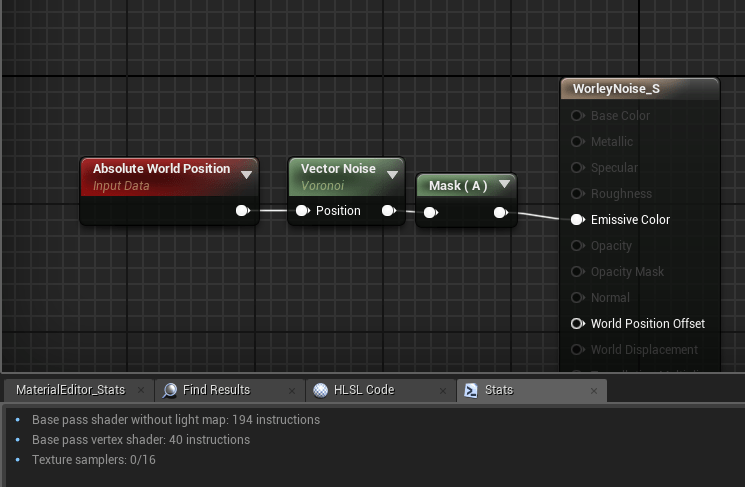
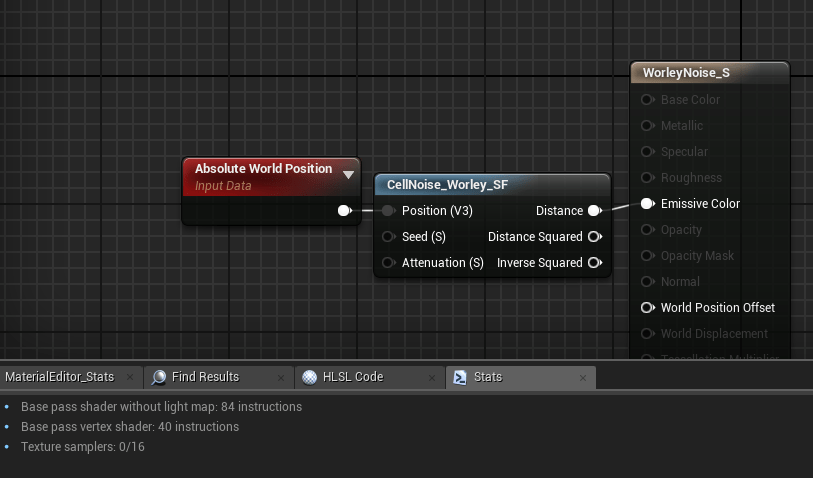
Code (HLSL)
This is the code inside my HLSL function which does all the work.
The basic premise is I calculate which cell I’m currently at, generate an (squared) SDF (signed distance field) for a point randomly generated inside the cell, and combine it with the currently accumulated distance field (using min()).
I do the same for each neighbouring cell, so
#include "/Engine/Private/Random.ush"

float AccumDist = 1;

for ( int x = -1; x <= 1; x++ )
{
	for ( int y = -1; y <= 1; y++ )
	{
		for ( int z = -1; z <= 1; z++ )
		{
			float3 CurrentCell = floor(UV) + float3(x, y, z); // Find neighbouring UV or current (when x,y == 0)

			// Get random point inside cell
			float2 Seedf2 = float2(Seed, Seed);
			float3 Rand = float3(PseudoRandom(CurrentCell.xy + Seedf2), PseudoRandom(CurrentCell.xz + Seedf2), PseudoRandom(CurrentCell.yz + Seedf2));
			float3 Point = frac(Rand) + CurrentCell;

			float3 Dir = Point - UV;	// Generate vector
			float Dist = dot(Dir, Dir); // Get distance squared

			AccumDist = min(AccumDist, Dist); // Combine with current signed distance field (sdf)
		}
	}
}

return AccumDist; // sqrt() this to get distance
Some notes I think are important to note from this are:
- UNROLL macro – I’m not using this, instead I’m letting Unreal’s HLSL compiler decide as it usually does a good job. In this case it chose to not unroll my loops – this is most likely as the branch is non-divergent which allows the GPU to not stall when processing a branch due to how GPUs process pixel groups in parallel
- If you chose to use any of the branching macros ([flatten], [branch], [unroll] etc) you should use Unreal’s macros (caps, remove []) as you’ll avoid cook errors when compiling to PSGL for PS4 for example.
- I am accumulating a signed distance field as distance squared.
A common trick to do this is to get the dot product of a vector with itself to return the length squared of that vector!
I’m doing this because using distance() or length() will involve a sqrt(), which is an expensive operation to perform, especially if we’re doing this a lot.
So instead I am working in distance squared, and then I sqrt() I’ve executed my loops – in-fact I do this in atomic nodes to work best with my material function set-up, in-case I do want to use distance squared.
Profiling
I initially started my profiling just using gpu stat in Unreal.
It showed me at fullscreen (approx) 1920×1080 with a quad with my shader applied it was .35ms on the base pass. Annoyingly this was no different than a regular unlit shader.
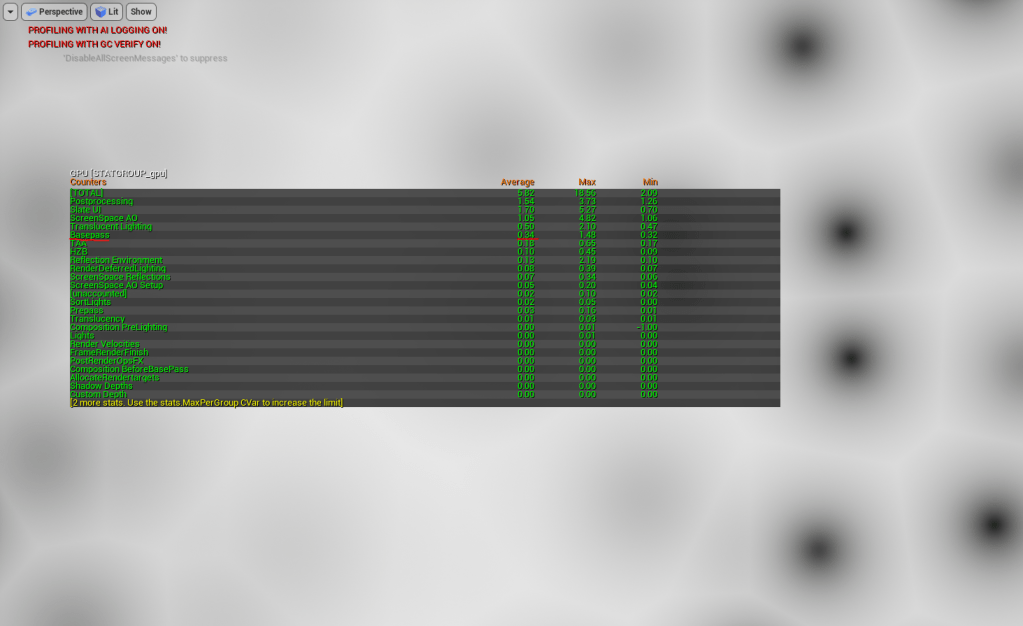
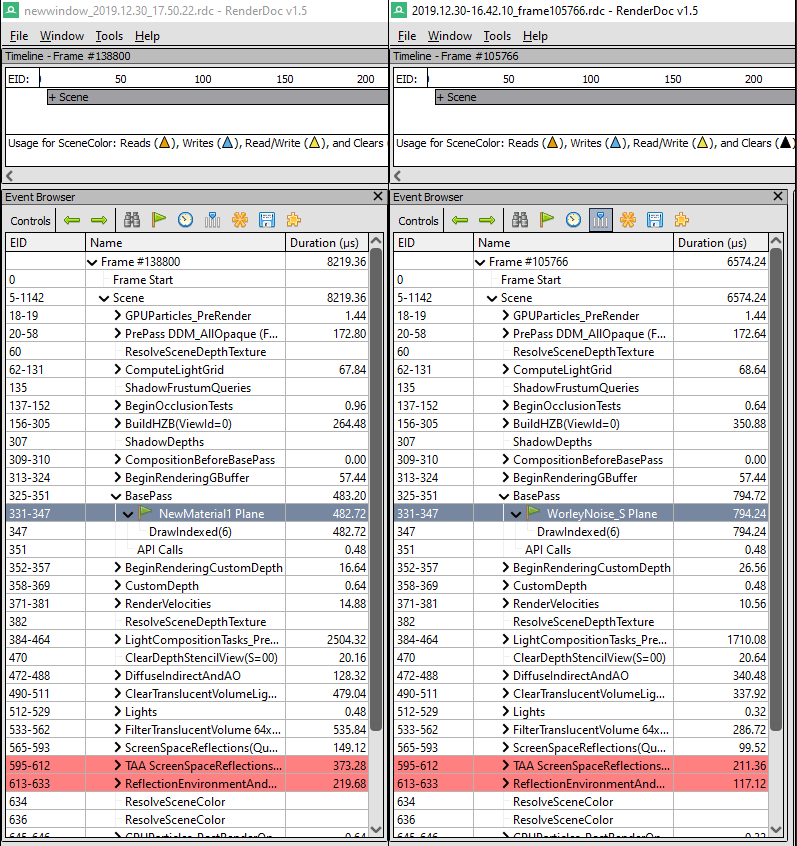
So I compared the baseline (quad + unlit shader) with my shader in renderdoc.
On average I saw about 300uS cost, so I’ll chalk that up to this costing around about .3ms on GPU if this is calculated fullscreen. Sounds about right (still not terribly accurate though).
I also compared (not shown below) the atomic VectorNoise.a method which yielded an average of 850us base pass (.35ms cost), so by the tiniest amount more expernsive.
A win, I suppose? I guess it at least proves there is no huge overhead from my branching in this case.
 Luna's Technical Art Blog