
Grab this from my git repo – github.com/Calvinatorr/SubstanceShaderUE
*Install instructions included in the readme
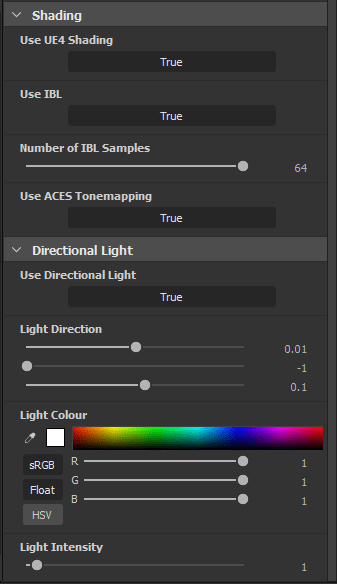
The aim of this tool is to provide a more accurate representation with the Unreal Engine 4 viewport by providing a pixel shader which uses BRDFs closer/pulled from Unreal’s shaders, as well ACES tonemapping.
What this provides:
- ACES filmic tonemapping curve
- (optional) directional light
- (optional) IBL toggle
- IBL samples slider (default changed from 16 to 64)
- BRDFs more accurate to Unreal (Fresnel Schlick approximation, GGX Smith) – light source calculation & IBL
Comparison
I compared the same input parameters against Substance Designer vanilla, my shader, and the UE4 viewport.
Those being albedo=(.75,.75,.75), roughness = .25, and metallic=1.
The results I got still aren’t 1-1 as there’s a lot of complex stuff going on Unreal, especially with an adjustable log curve for the tonemapping, but generally I feel this is good enough to at least have a better idea of what your material will look like across packages.

What Next?
I’m continuing to review the BRDFs and colour transform as I use the shader myself and will update the git repo as I go.
I’ve already investigated doing the same for Substance Painter, but unfortunately Painter’s renderer is more complicated (seemingly deferred), compared to Designer which seems to be done in forward.
This means in Designer I can touch the final pixel colour as I wish (there is some still some post effects which can be enabled after this in the pipeline), which means I can directly control the shading BRDFs.
Painter seemingly provides shaders more as material shaders, to provide a way to program the inputs into an already existing shading model which I can’t touch (think Unreal’s material graph).
 Luna's Technical Art Blog